Free up space. Keep what matters.
Duplicate photos, big videos and old screenshots are what fill a phone. Gallery Cleaner finds them, shows you every single one, and deletes only what you tick — after Android asks you to confirm.
Full scan free · Nothing uploaded · No account · No ads · Android 11+
Real screens from the app. Your own photos, your choice, Android's confirmation.
Three steps, and the last one is always yours.
The app reads your photos and videos on the phone and sorts what it finds: identical copies, look-alike shots, large videos, old screenshots and WhatsApp media.
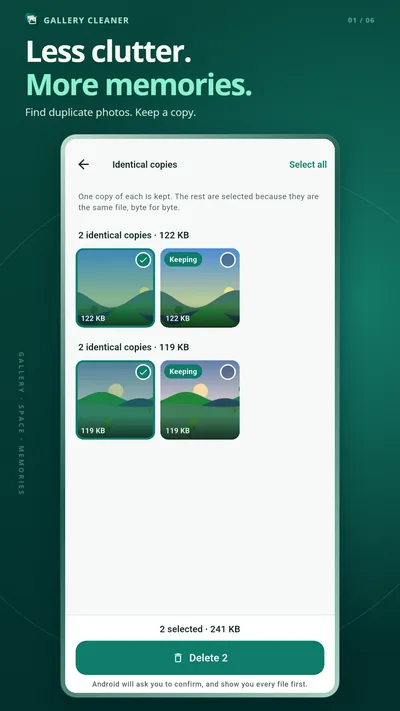
Each category opens as a grid of your own thumbnails. In a group of copies the app suggests which one to keep — and says why. Tap a different one and the suggestion moves.
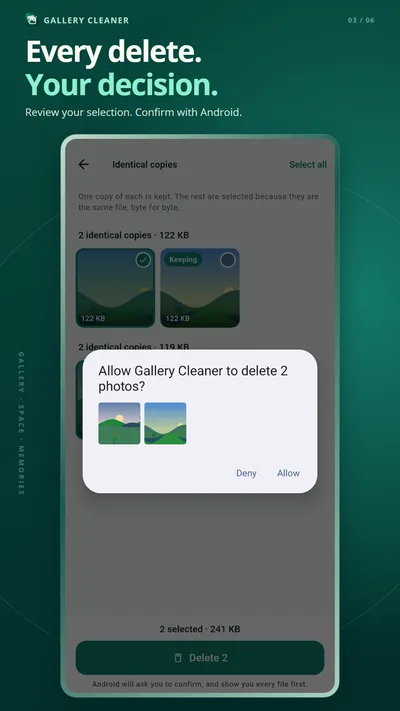
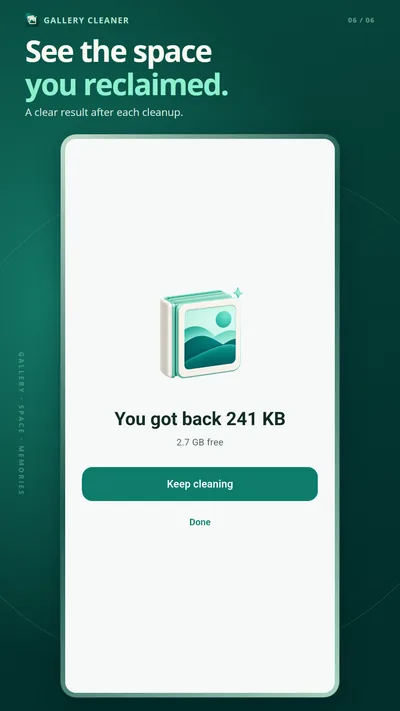
Tick what goes and tap Delete. Android shows its own confirmation with the files on it. Deny keeps everything; Allow deletes exactly those files, and the app reports what was really freed.
Five kinds of clutter, each one shown before it is counted.
Proven byte for byte by reading both files — never guessed from a name or a size. One copy of each is always kept.
Bursts and the five tries at the same shot, grouped side by side, with the sharpest one suggested as the keeper.
Sorted biggest first, because one long 4K clip can weigh as much as a thousand photos.
Screenshots older than a month — the ones that were a note to self, not a keepsake.
What WhatsApp saved on its own, split into what you sent and what you received.
Scanning, comparing and grouping run on the device. No upload, no server, no account.
The things cleaner apps promise that Android does not allow.
A cleaner that deletes the wrong photo does not get a second chance.
Free to scan. Free to clean.
The full scan, every number, and unlimited deleting of identical copies, large videos, old screenshots and WhatsApp media cost nothing.
One payment unlocks reviewing the look-alike photo groups. Not a subscription, and no ads — you see how many groups were found, and how much space they hold, before you are asked.
The ones worth answering before you install anything.
No. You see a thumbnail of every file first and tick what goes. The deletion itself is done by Android, which shows its own confirmation screen with your files on it. Tap Deny and everything stays.
Identical copies are proven by reading the files and comparing their contents byte for byte, not by guessing from the name or the size. A file that cannot be read is left out rather than assumed identical. One copy of each is always kept.
No app can, on Android 11 and later — Android does not allow it. Gallery Cleaner says so on its home screen and opens the system storage screen, which can.
No. Reading, comparing and grouping all happen on your phone. There is no account and no cloud, and no photo, video or file name is ever sent anywhere. Details in the privacy policy.
The full scan, all the numbers and unlimited deleting of identical copies, large videos, old screenshots and WhatsApp media are free. One payment unlocks reviewing the look-alike photo groups. It is not a subscription, and there are no ads.
Because it only counts surplus that can be proven: extra copies of files you already have. A large video is listed, but it is not counted as space to reclaim — being big is not the same as being unwanted.
Not this app. Video Repair rebuilds broken MP4 and MOV files, and Media Rescue recovers photos deleted from a memory card.