
How the robots and aliens were animated
The clip above has no hand-placed keys in it. A Python file describes the Brawler's parts, its pivots and its poses, and writes every frame of every clip as keys that Unity plays back. Each character in Robo Aliens has a file like that. This is how the pipeline works and what went wrong along the way.
Parts first, then a rig
Every character starts as a painting of the whole body in a neutral pose, followed by a sheet of separate parts painted at exactly the same scale: head, jaw, each leg, each arm, armour plates, weapons. The parts are cut out, given pivots and parents, and laid back over the full painting to check they line up.
Unity then does the parts of the job that need a real engine: 2D lights, particles, bloom and the camera. The rig script does the motion.
Robots are rigid, aliens bend
The first alien rigs were made the same way as the robots: rigid pieces that rotate at the joints. On a metal toaster that looks right. On a lizard it did not. The joints showed, and the body moved like a puppet.
Four options were compared: skinning inside Unity, Spine, frame-by-frame sprite sheets and full 3D. The last three were rejected on cost, popping loops and effort. Unity's own 2D Animation package won. It puts bones inside each part and bends the picture with smooth weights, and it was already installed.
Bending changed how the parts had to be painted. The rules that came out of it:
- One continuous trunk. Neck, chest, belly, hips and the whole tail are one piece, so the bones can bend it in one curve.
- One piece per limb. Thigh, shin and foot together; upper arm, forearm and hand together.
- Limbs drawn almost straight. Knees and elbows bent only 15 to 20 degrees. The bones make the bend, so a bend painted into the art only fights them.
- Hidden stubs. A part that goes into another ends in a rounded stub that stays hidden underneath, about a quarter to a third of its length, so a turning joint never opens a gap.
- Clean joints. No straps, bolts or painted shadows across a knee, an elbow or a neck, because stretching would show them.
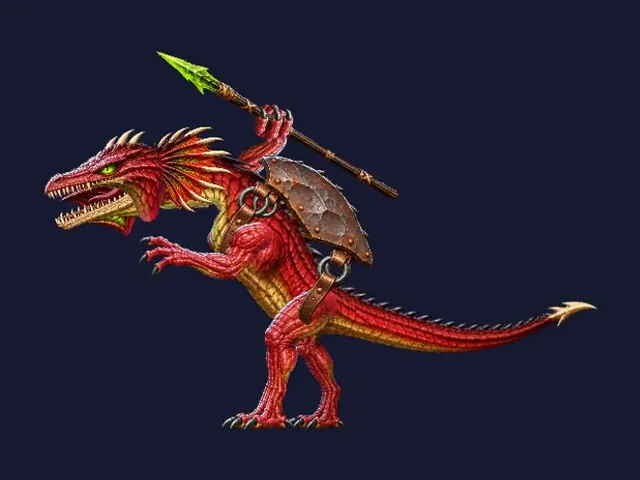
One limit had to be measured before every alien was converted: the browser test build has no worker threads, so all of the bending is computed on the main thread. The budget is about 5,000 to 8,000 bent vertices on screen at once.
Clips written as keys
A rig script writes dense keys, not a few poses for the engine to blend. That keeps the timing exact. Feet that should stay planted are solved in Python before export, and waves of overlap are keyed down tails and spines so they follow the body a few frames late.
Every robot has the same set of clips: Deploy, Idle, CombatIn, Combat, CombatOut, its action, CombatHit, Hit, Tap, Victory, Death and DeathCombat. That is 12. Robots that walk add Unanchor, StepFwd, StepBack and Anchor, 16 in all. The clips send events with fixed names, such as Fire, Land, Anchored and Step, so a robot can be redesigned without touching the game code that listens for them.
Cartoony motion, frightening looks
The direction for the motion is cartoony, but the look is not: aliens should be frightening and robots should look like heroes. The animation rules for every character:
- Big, readable anticipation before every action: squash, pull back, lean away.
- Snappy moves between strong poses, then a hold of 2 to 6 frames so the pose reads.
- Smears on the fastest frames, motion on arcs, strong overlap on loose parts.
- Ease into and out of key poses over 2 or 3 frames, so snappy never becomes harsh.
- Limbs never over-stretch. If a foot cannot reach, the body moves instead.
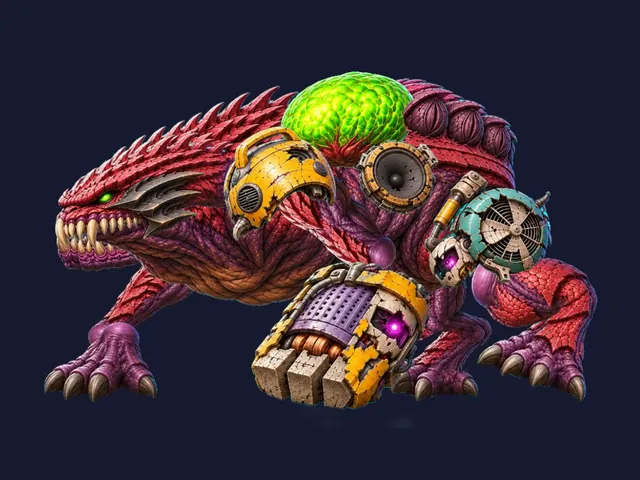
The one exception is the walk of the heavy monsters. The Shellrider and Wreckmaw walk with weight and no smears, and their footsteps send events that shake the camera by size class, kick up dust and play a thud.
The loop that started lying down and ended standing
The first crawling lizard had a spear-throw clip that began with the lizard flat on the ground and ended with it standing. Played as a loop, it snapped from standing back to lying every 1.6 seconds.
The fix was to split it into a chain: Walk, then StandUp (0.32 s), then the throw loop (1.6 s, starting and ending standing), then CrouchDown (0.3 s), then Walk again. The lizard waits for the crouch to finish before it crawls.
After that, a script called check_loops.py started checking every rig after every clip change. It tests four things:
- The first and last frame of every loop match.
- Every action ends on the idle's first pose.
- Entry poses sit inside the range of the loop they lead into.
- No channel snaps back to its rest value in one frame.
On its first run it found a gear in the middle of a toaster robot that jumped half a turn at the end of every idle loop, several attack clips that did not end where the idle starts, and a Gloop whose feet slid after a bite. All of them were fixed, and all rigs now pass.
Marching on the beat
The final assault on the last levels marches in as a battalion. Its infantry clips are timed to 120 beats per minute: the march is a 1.0 second loop with two beats, at 0.0 and 0.5 seconds. On each beat the War Drummer plants a foot and a stick lands on the drum, and the Banner-bearer's hind feet hit the ground. Speed up the animation and the tempo follows it, so the formation stays in step.
What to take from it
- Decide early which characters bend and which stay rigid, and paint the parts for that choice.
- Keep clip names and event names fixed, so new designs drop into old game code.
- Check loops with a script. A pop that lasts one frame is easy to miss by eye and easy to catch in data.