
NasrTech
The Video Repair engine, now in your browser

Fix the video
that won't play.

A dead battery, a crash or a pulled card left the recording without its index — the moov atom not found error. The footage is still there. Rebuild it right here, without uploading a byte.

  • Nothing uploaded
  • Original quality, byte for byte
  • Free check & preview
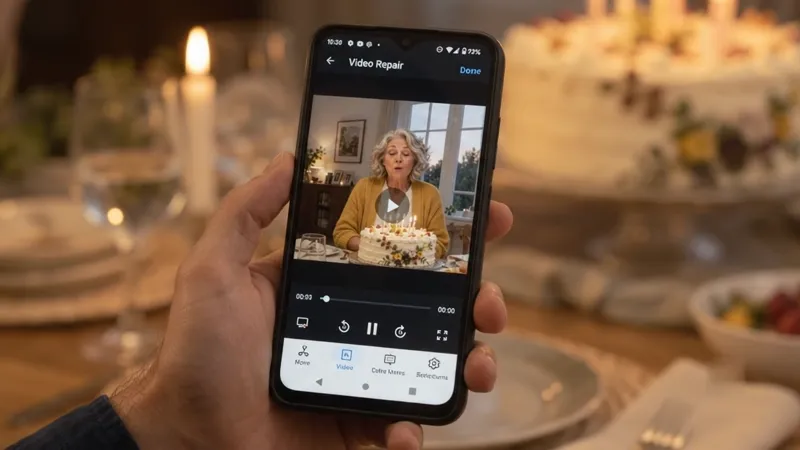
A laptop playing a family birthday video

Repair your video

MP4 or MOV from a phone, action camera, drone or dashcam. Any size.

  1. Check
  2. Repair
  3. Preview
  4. Download
How it works

See it work before you pay anything.

  1. 1Check it — free

    The tool reads how the file was put together and tells you right away whether the footage can be rebuilt.

  2. 2Watch five seconds — free

    Your own video plays right in the page, at reduced quality and with a watermark, so you know the repair worked.

  3. 3Download it with a plan

    Full length, original quality, no watermark — and every other video while your plan runs.

Where it happens

Recordings that stopped before they were finished.

Phones, dashcams, drones and action cameras all write the index last. When the power or the card goes first, this is the file you're left with.

A phone filming a family dinner with its battery almost empty

Phones

The battery died, the storage filled up or the camera app closed in the middle of a recording.

A dashcam behind a rainy windshield at night

Dashcams

The power cut out with the engine, and the last clip on the card won't open.

A drone flying over a rocky coast at sunset

Drones

A low-battery landing or a lost signal ended the flight before the file was closed.

An action camera on a mountain biker's helmet in a forest

Action cameras

A fall, a crash or a loose card stopped the recording halfway down the trail.

Works with MP4 and MOV recordings — H.264 or H.265 video, AAC sound. Some dashcams and older cameras save AVI or TS files instead; those aren't supported yet.

Some moments don't get a retake

The moment is still in the file.

When a recording is cut off, every frame you filmed is usually still there. What's missing is the small index that tells a player where they are.

A son filming his mother blowing out birthday candles
1The momentYou press record. The battery is at 2%.
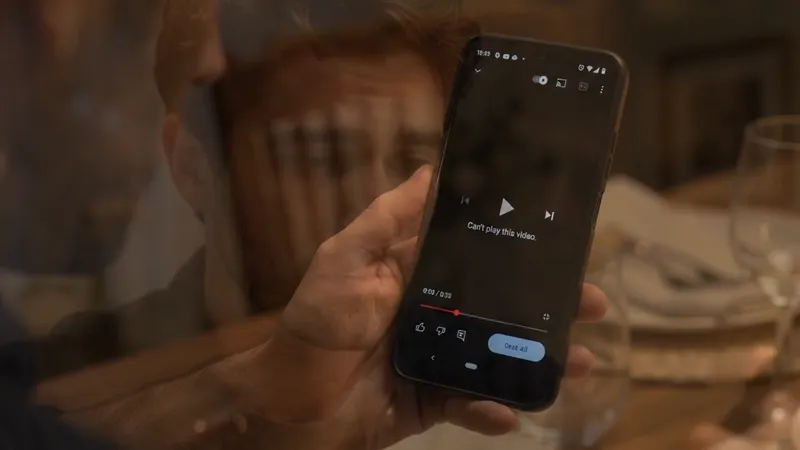
Can't playA phone showing that the video cannot be played
2The errorThe phone died before the index was written.
RepairedThe repaired birthday video playing on the phone
3The repairThe index is rebuilt from the footage itself.
Mother and son watching the recovered video together
4Together againThe moment you thought was gone.
Same file. Before and after.

Your footage, exactly as the camera recorded it.

Nothing is re-encoded or “enhanced”. The repaired file holds your camera's own video and sound data, byte for byte — only the index around it is new.

  • Original resolution and frame rate4K, 60 fps, HDR — whatever the camera wrote.
  • Sound back in syncAdd any healthy clip from the same camera and the audio returns with the picture.
  • Seconds, not hoursA 100 MB clip takes about two seconds. Files of several gigabytes take a minute or two on a computer.
The repaired video: a mother laughing as she blows out birthday candles BeforeAfter
Illustration. A file with a missing index doesn't open at all — after the repair it plays exactly as it was recorded.
Why the file won't open

One missing piece. Rebuilt from the rest.

An MP4 is written in parts. The index — the moov atom — is written last. Cut the recording short and every player gives up, even with every frame on disk.

A healthy recording

Header, the frames, then the index.

ftyp
moov ✓

Recording cut off

The frames are there. The index never got written.

ftyp
moov ?

After the repair

Every frame found and indexed again — nothing re-encoded.

ftyp
moov ✦
Thirty seconds

Give your memories a second chance.

The difference

Repaired where it is. Not on someone else's server.

This toolUpload-to-repair websitesVideo converters
Your video leaves your deviceNeverUploaded to their serverDepends on the tool
Opens a file with no indexYes — that's the jobYesNo — they need the index to read the file
QualityOriginal, byte for byteUsually originalRe-encoded
Waiting for a 2 GB uploadNoneMinutes to hours—
Try before you payFree check + 5-second previewOften a low-quality preview—
Price$9 a month, as many videos as you needUsually charged per fileFree to paid
Built on the app's engine

The same repair as Video Repair for Android and Windows.

Private by design

The engine runs in your browser. Your video is read from your own disk and never sent anywhere — there is no server to send it to.

Original quality

Your camera's own compressed data, copied through untouched. No second round of compression, no lost detail.

Preview before you pay

See five seconds of your own footage play before you decide. If it can't be recovered, you'll know first.

Huge files welcome

4K recordings of several gigabytes. Nothing has to load into memory or travel over the internet.

Picture and sound

H.264 and H.265 video, AAC sound. A healthy clip from the same camera brings the audio back in sync.

Honest about limits

Deleted or overwritten footage can't be brought back, and the tool tells you so instead of producing a file that plays noise.

Plans

Check and preview free. Download with a plan.

Every plan downloads full-length, full-quality videos with no watermark — as many as you need while it runs.

Monthly

$9/ month
For the video you need back today.
  • Unlimited repairs and downloads
  • Full length, original quality, no watermark
  • Picture and sound recovery
Save 27%

Yearly

$79/ year
$6.58 a month — for photographers, editors and families.
  • Everything in Monthly
  • Twelve months of repairs
  • One payment a year, no monthly charges

Cancel anytime in one click — your plan keeps working until the end of the period you paid for.

Prefer an app? Video Repair for Android · Video Repair for Windows

Questions

Before you start

What does “moov atom not found” mean?
An MP4 or MOV recording keeps its video in one part of the file and an index — the moov atom — in another. Most cameras write the index last, when recording stops normally. If the battery dies, the app crashes or the card is pulled first, the index is never written, so players can't find a single frame even though the footage is still in the file.
Is my video uploaded anywhere?
No. The repair engine runs inside your browser. Your video is read from your own disk and the repaired file is assembled on your device; it is never sent to a server. Only your plan's key is checked with our payment provider, Gumroad.
Will the repaired video lose quality?
No. Nothing is re-encoded. The repaired file contains your camera's own video and sound data, byte for byte, with a new index written around it.
What is free, and what needs a plan?
Checking the file and a 5-second preview — reduced quality, with a watermark — are free. Downloading the full repaired video needs the monthly ($9) or yearly ($79) plan. You can cancel at any time and keep access until the end of the period you paid for.
Why does it ask for a second video from the same camera?
Some recordings don't repeat their settings inside the footage, and sound settings are never repeated. A healthy clip recorded by the same camera at the same settings supplies them, so the picture — and the sound — can be rebuilt. The tool tells you when it needs one.
Which cameras and formats work?
MP4 and MOV recordings with H.264 or H.265 video and AAC sound — from phones, action cameras, drones and dashcams that save MP4 or MOV. AVI, TS, MKV and WebM files aren't supported, and a file that is empty or all zeros has nothing in it to recover.
Which browsers can run it?
A current version of Chrome, Edge, Firefox or Safari, on a computer or a phone. The engine is WebAssembly — the same code as the Video Repair apps, compiled for the browser.

Some moments deserve a second chance.

Check your video now — it's free, and it never leaves your device.

Repair a video