

Wondershare Repairit is one of the two names that dominate this category, and it has a genuine advantage: it runs on Windows, Mac, or directly in a browser, so you can try it without installing anything. That browser version is why a lot of people land on it first.
It's also where the two catches live, and neither is hidden — both are printed on Wondershare's own pages.
Catch one: the free online tier is smaller than your video
Wondershare's online repair page lays out three tiers plainly. The free one:
- Repair only 1 video
- Video size up to 50 MB
- Support 10+ video formats
Fifty megabytes is the number that matters. A minute of 1080p phone video is usually past it; a dashcam clip or anything in 4K is far past it. So for most people arriving with a real broken recording, the free tier isn't a smaller version of the product — it's a size class their file doesn't fit into.
The paid tiers lift it: Repairit Online Premium goes to 3 GB per video with no count limit, and Repairit for Desktop removes the size limit entirely and supports 20+ formats. Desktop licences on that page are listed at $29.99 for one month, $39.99 for a year, and $59.99 perpetual (checked on 1 October 2026; the page shows them as discounts from $54.99).
Catch two: online repair means uploading your video
The online tool's own instruction is "Upload your corrupted videos here to repair them." That is how a browser-based repair has to work — the file goes to their servers, gets processed there, and comes back.
Whether that matters depends entirely on what's in the clip. For a scenic drone shot, it doesn't. For the recordings people are usually desperate about — a family event, a medical or legal recording, something filmed at work — handing the file to a third party to get it back is a real decision, not a formality. It's worth making that decision deliberately rather than by default.
The alternative: repair on the device, upload nothing
Video Repair is our Android app. It does the narrower job — rebuilding the missing index of an interrupted MP4 or MOV recording, the failure explained in how to fix a corrupt MP4 — and it does it entirely on the phone.
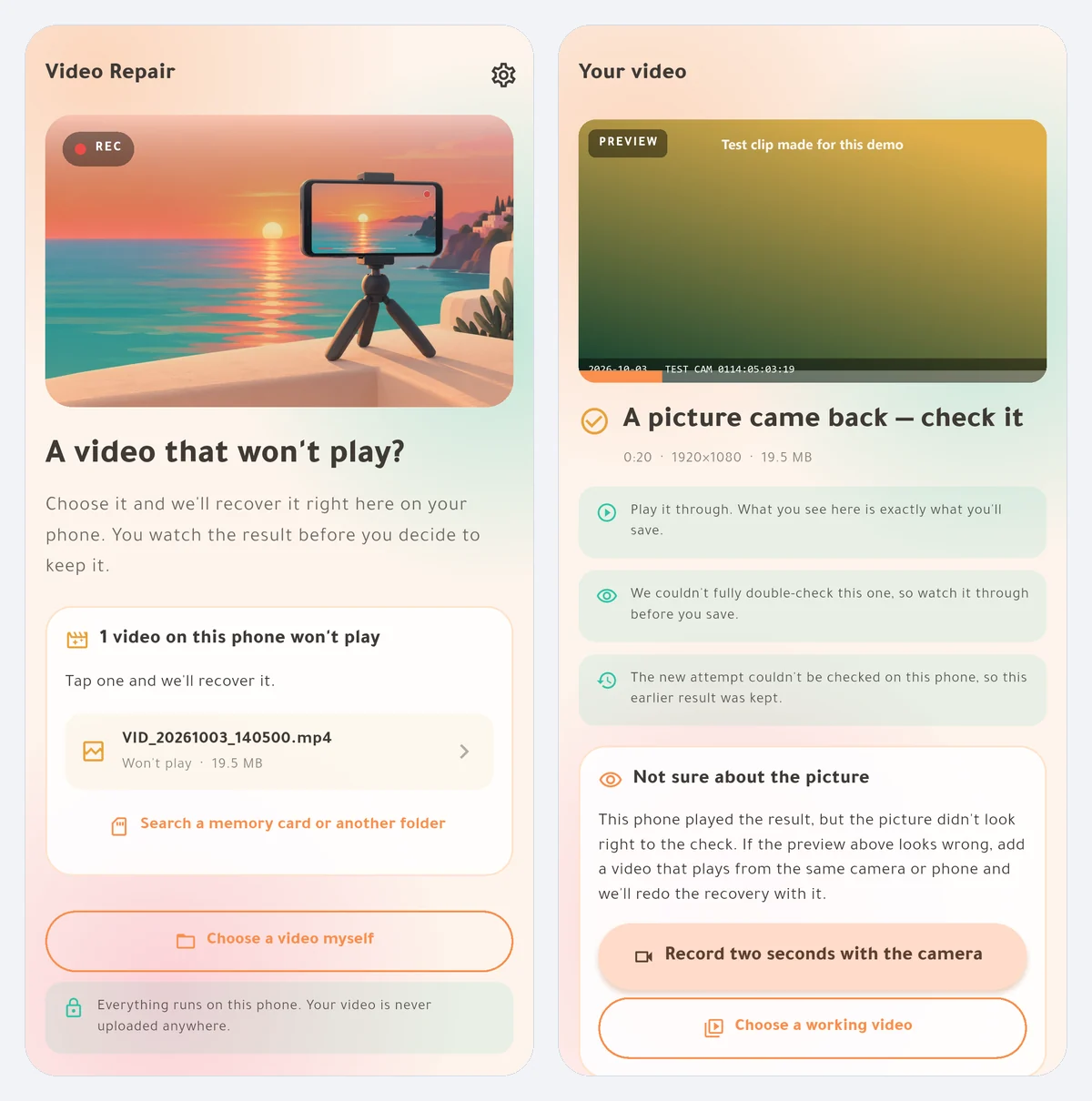
Against the two catches above:
- No size limit and no file-count limit, free. Checking the file, repairing it, and playing back the whole repaired video cost nothing regardless of size. A one-time purchase unlocks saving; pricing is on the product page.
- Nothing is uploaded. There is no server in the process, no account, and no storage permission — you pick the file through the system picker and the work happens locally. That also means it works with no signal at all.
- Nothing is re-encoded. The recovered footage is your camera's own data copied through byte for byte.
- It says no when the answer is no. If the media data was overwritten rather than merely left unindexed, the app reports that instead of producing a file that opens and plays noise.
One honest note on the reference-file question: recovering the audio track needs a healthy clip from the same camera, and H.265 currently does too. The picture usually comes back from the damaged file alone. The app checks your file first and tells you which case you're in.
Where Repairit still wins
- Format range. Repairit's desktop tier advertises 20+ formats — MKV, AVI, FLV, MXF and more. Video Repair takes MP4 and MOV only, because that's what phones and action cameras produce.
- Platform coverage. Windows, Mac, and browser. Video Repair is Android-only; if your footage is already on a computer, that's Repairit's home ground.
- Photos and documents. Repairit repairs other file types too. We don't.
- Specialised repairs. Its product page advertises niche capabilities such as gyroscope-data repair for GoPro footage — genuinely useful to a specific group, and nothing we attempt.
If your file is a 4 GB MKV on a desktop, this comparison ends here and Repairit is the better tool.
Which one fits you
- Broken video on your phone, and you'd rather not upload it. Video Repair — full free preview on-device, one-time unlock to save.
- File is over 50 MB and you want to test before paying. Video Repair previews the whole thing free at any size; Repairit's free online tier stops at 50 MB per its own page.
- Desktop footage, unusual formats, or batch work. Repairit — or Stellar, which we compare separately.
- You want free and you're technical. The open-source untrunc route, covered in our repair guide.