

Search the Play Store for a document scanner and the results keep scrolling, nearly all of them labelled free. Install three and you will usually find the same pattern: scanning is free, and the moment you press export, you meet a watermark, a daily limit, or a subscription screen.
So the useful question is not "which scanner is best" but "which parts are actually free, and what happens to my document". Five checks answer both, and they take about a minute. This page does not rank named apps; it gives you the test to run on whichever three you installed, and says plainly where the one I build fits.
The five checks that matter
1. Does the export carry a watermark? This is the most common catch. The app scans beautifully, then stamps its logo across your PDF. Fine for a shopping list, unusable for anything you send to a bank, a landlord, or an employer. Test it immediately: scan one page and export it before you invest any time.
2. Is there a daily or page limit? Some apps allow a few scans a day, or cap a PDF at a couple of pages. You discover this halfway through a ten-page contract. Scan several pages into one document as your second test.
3. Does it upload your document? Many free scanners process in the cloud — that is how the OCR is cheap. It also means your paperwork sits on a server you do not control. There is a one-second test: turn on airplane mode and scan. If it still works, the processing is local. If it stalls, your documents are leaving the phone. We covered why that matters for sensitive files in are online PDF converters safe.
4. How aggressive are the ads? Banner ads are a fair trade for free software. A full-screen video between you and the export button, every single time, is not — and it is the reason most people replace their first scanner.
5. Does it handle the awkward cases? Two-sided ID cards on one page, multi-page ordering, OCR in your actual language. Generic scanners handle plain A4 fine and fall apart on the things you specifically needed a scanner for — the ID card case is the usual example, and the ID card scanner app round-up shows which apps get it right.
What "free" should mean
A genuinely free scanner should let you, without paying and without an account:
- Scan an unlimited number of pages
- Combine them into one PDF in the right order
- Export without a watermark
- Keep the processing on the device
That is not an unreasonable bar — it is just the bar most of the store fails.
How the well-known options tend to differ
Rather than a ranking that goes stale, here is the shape of the market:
- The big commercial scanners (the ones you have heard of) are polished and capable, and monetise through subscriptions, accounts, and cloud storage. Excellent if you want sync and are comfortable with the upload.
- The ecosystem scanners from large platform vendors are solid and free, and are designed to pull you toward their storage and office suite. Great if you already live there — the trade-offs are in the Microsoft Lens alternative and Adobe Scan alternative guides.
- The small independent scanners vary wildly. Some are excellent and genuinely free; many are ad-heavy shells around a basic camera crop. The five checks above sort them quickly.
Where the scanner I build fits
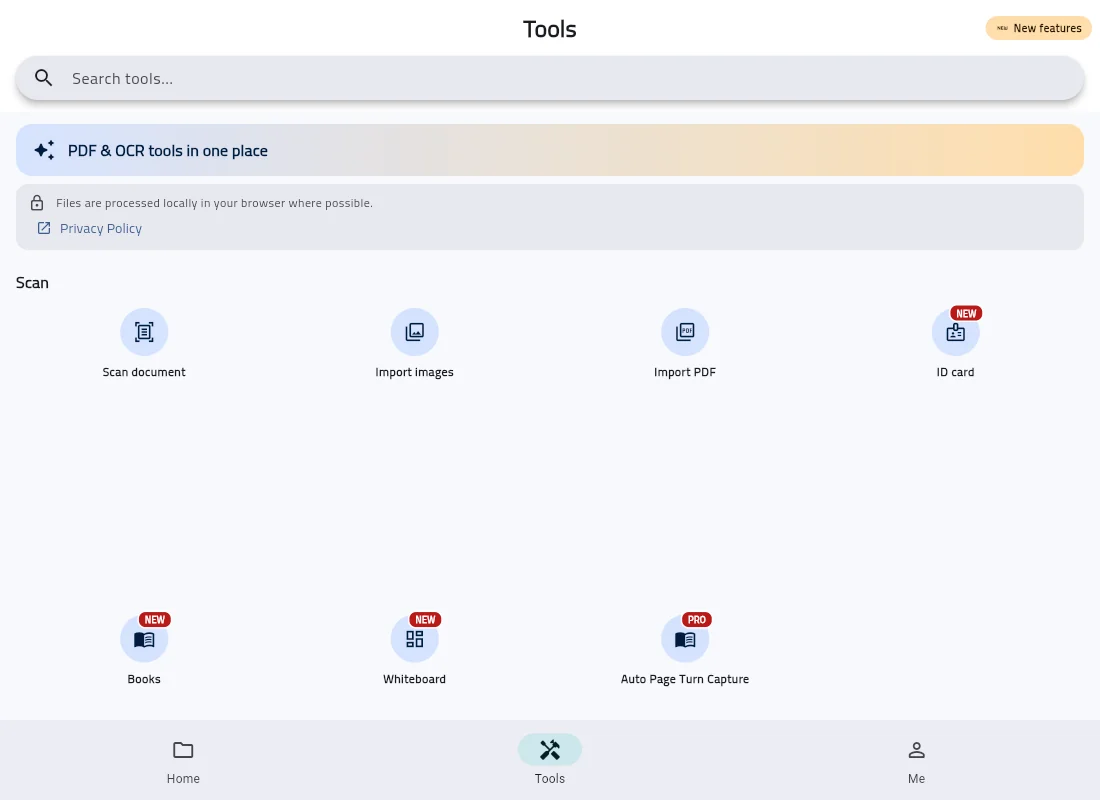
Disclosure: DocFlow Scanner is my own app. It exists because of check three. It does edge detection, perspective correction, multi-page PDFs and OCR on the device, with no account and no upload — including on-device Arabic OCR, which most scanners handle poorly and which is covered in the Arabic OCR guide.
It is only partly free, and by the bar above it does not pass as a free scanner. Scanning, importing images or PDFs, basic editing and keeping documents in the app cost nothing. Every output — OCR, PDF export and sharing, printing, signing and the PDF tools — needs DocFlow Pro, a monthly or yearly subscription or a one-time lifetime purchase. Pro exports carry no watermark.
That is the trade I chose: no cloud sync and a paid export, in exchange for your documents never leaving your phone. If you need to export without paying anything, DocFlow is not that app; if automatic cross-device syncing matters more to you, one of the big commercial apps genuinely serves you better, and it is fair to say so.
Run the five checks on a throwaway page before you need the app, not during the week you do. If you are specifically escaping a watermark, start with the CamScanner alternative guide; if a two-sided ID is the job, how to scan an ID card to PDF.