

On 10 October 2026 we took Lovable's own Bakery Order Page template, published at bakery-order-page-fa48c2b2.lovable.app, and turned it into an Android app: four tabs, a native contact page, an offline screen, and a 32.4 MB test APK that installed and ran on an Android 15 emulator. This guide shows each step, the three things we had to fix by hand, and the one feature that stops working inside the app: Google sign-in.
Lovable itself doesn't make the Android part. Its FAQ says it builds "web applications" and "does not generate React Native projects", and it points to two paths for phones: a Progressive Web App, or wrapping the URL with a tool outside Lovable (Lovable FAQ, read 10 Oct 2026).
Disclosure: NasrTech makes Nasr App Maker, the tool used in this test. Lovable is a trademark of its owner. NasrTech isn't affiliated with Lovable, and the bakery template is Lovable's public demo, used here as an example.
Four ways to get a Lovable app onto a phone
| Route | Google Play listing | What you need | Cost |
|---|---|---|---|
| PWA (add to home screen) | No | Nothing extra | Free |
| PWABuilder (Trusted Web Activity) | Yes | A web manifest, a Digital Asset Links file on your domain, Play Console setup | Free |
| Capacitor | Yes | Git sync, Node, Android Studio, a rebuild for every native change | Free, plus your time |
| A website-to-app builder | Yes | Your published URL | Nasr App Maker: $9.99 once per app. Median Starter: $229, then $179 a year |
Lovable's own Android guide, dated May 2026, recommends the PWA first and PWABuilder for a Play listing (Lovable guide). A Trusted Web Activity runs your site in Chrome, so Google sign-in keeps working there. The catch: you handle the signing key, the asset-links file and the Play rules yourself.
A builder like ours wraps the live URL in a native shell and adds the parts Google Play reviewers look for. Every route that ends on Google Play also needs Google's one-time $25 developer fee.
Before you start: three fixes inside Lovable
Our first read of the bakery site turned up three problems that come from Lovable's defaults, not from the bakery.
- The name came out as "Lovable". The template's HTML sets
og:site_nameto Lovable and ends the title with "| Lovable", and our reader takes the name from those tags. Ask Lovable to update the page title, theog:tags and the favicon, or retype the name in the next step. - No icon was found. The site ships a small
favicon.ico. An app icon needs a square image of at least 512 px, so upload your logo instead (our guide to Android app icon sizes lists the files Play wants). - The "Edit with Lovable" badge shows inside the app. It sits in the corner of every page, and tapping it opens lovable.dev in Chrome. Lovable's Pro plan ($25 a month on lovable.dev/pricing, 10 Oct 2026) removes the badge and adds custom domains.
A custom domain helps on Google Play too. The default app ID our tool suggests for a lovable.app address is app.lovable.bakeryorderpagefa48c2b2.app, and Google never lets you change an app ID after the first upload.
Step by step: from a lovable.app address to an APK
1. Let the tool read the site
Open the website to APK builder and type your published address. It reads the name, colour, icon, menu pages and contact links in a few seconds.
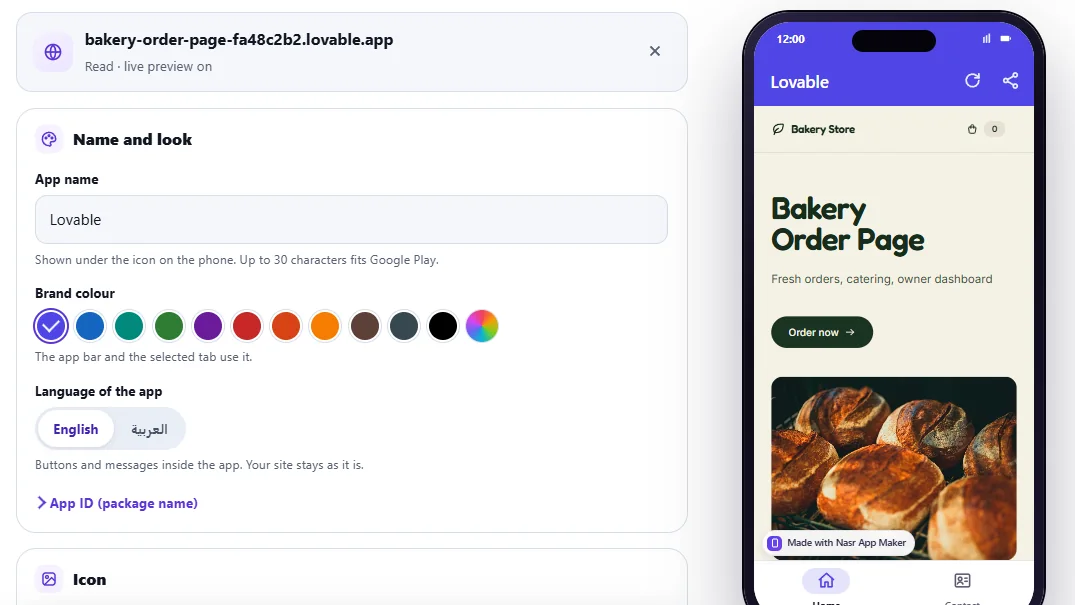
The preview worked at once, because lovable.app allows the page inside a frame. The menu did not. A Lovable site arrives as an empty HTML shell, and React draws the links after the page loads, so the reader found no menu pages and no phone number. The phone preview shows only Home and Contact.
2. Add your pages by address and fix the name
Rename the app, pick your brand colour, then use Add a page by address for each route you want in the bottom bar. We added /menu as Menu and /location as Visit. Deep links load on their own because Lovable's hosting serves the app for any path.
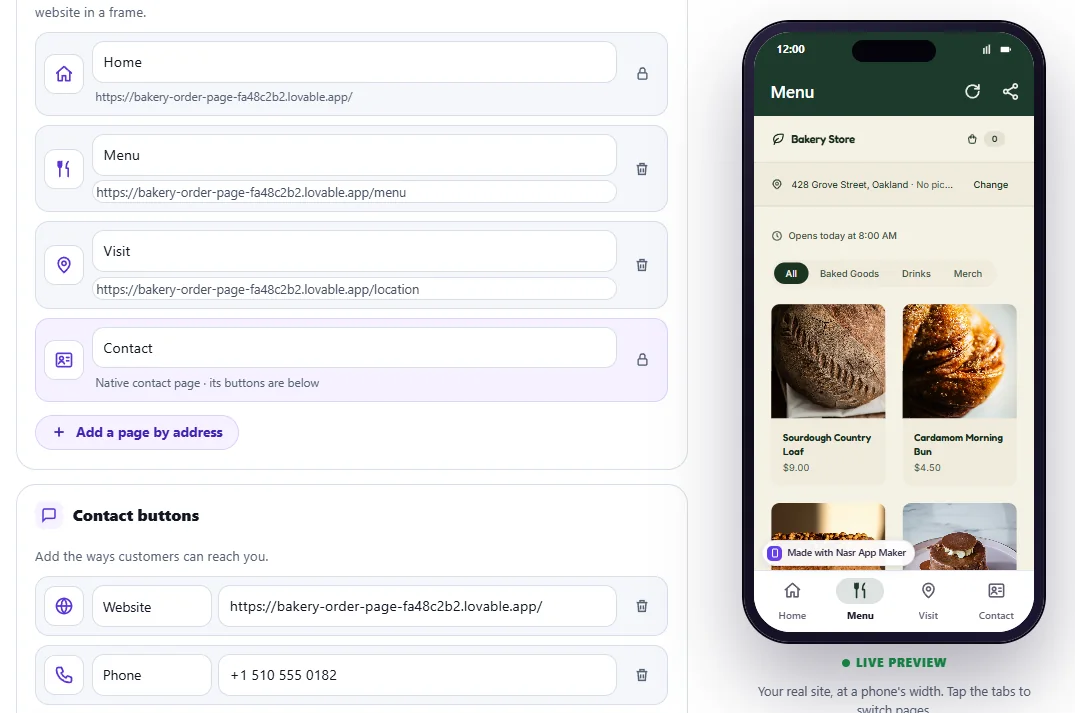
Then add the contact buttons. Google Play wants at least two ways to reach you, such as a phone number and an email, and the editor warns you until you have them. Open App ID (package name) and replace the suggested ID with your own reversed domain, like com.yourbakery.app.
3. Build the free test APK
Press Build test APK, free. Our build took 6.6 seconds on the server, and the page showed a QR code with a download link that lasts 24 hours. You get three test APKs a month. Test builds carry a small "Made with Nasr App Maker" badge.
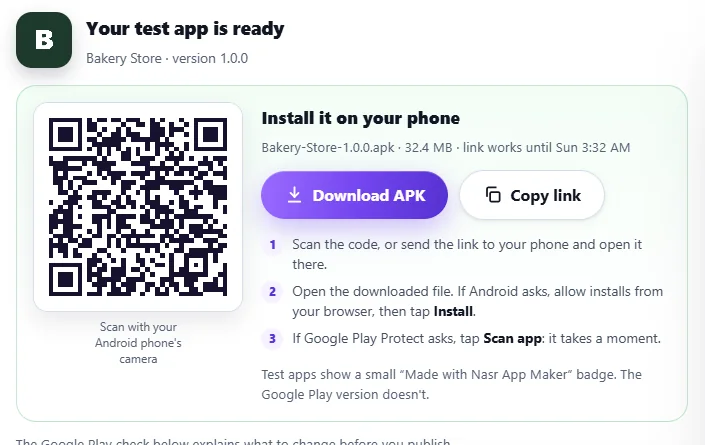
Scan the code with your phone, open the file, allow installs from your browser if Android asks, and let Play Protect scan it.
4. Test it like a customer would
We tapped through every tab of the installed app. The menu loads its products from the template's Supabase backend, a product page opens through React Router, and Back returns to the list instead of closing the app.
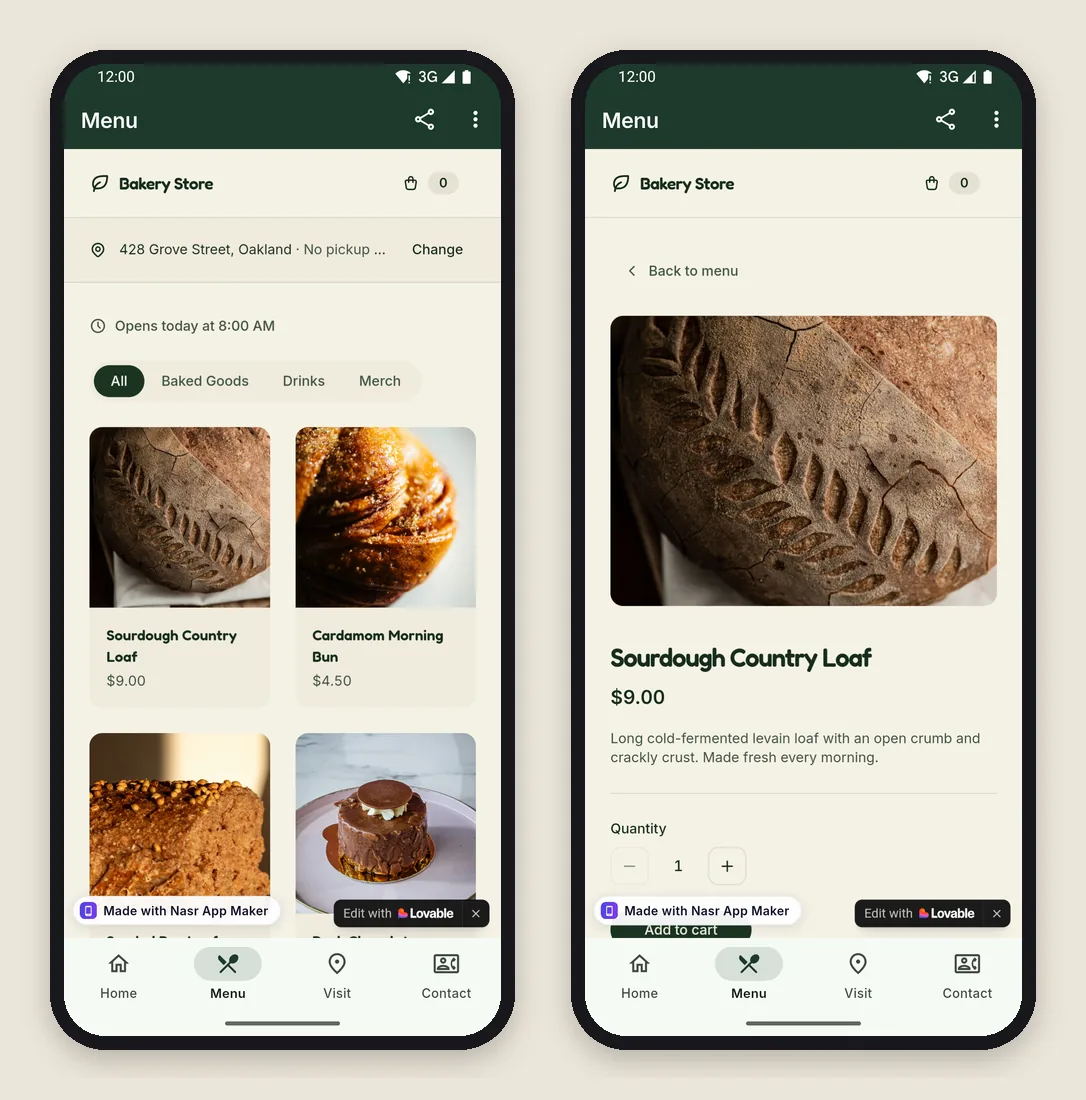
With the network off, the Visit tab showed the app's own offline screen instead of Chrome's error page. It reloaded by itself when the connection came back. The Contact tab is a native screen with the buttons we added.
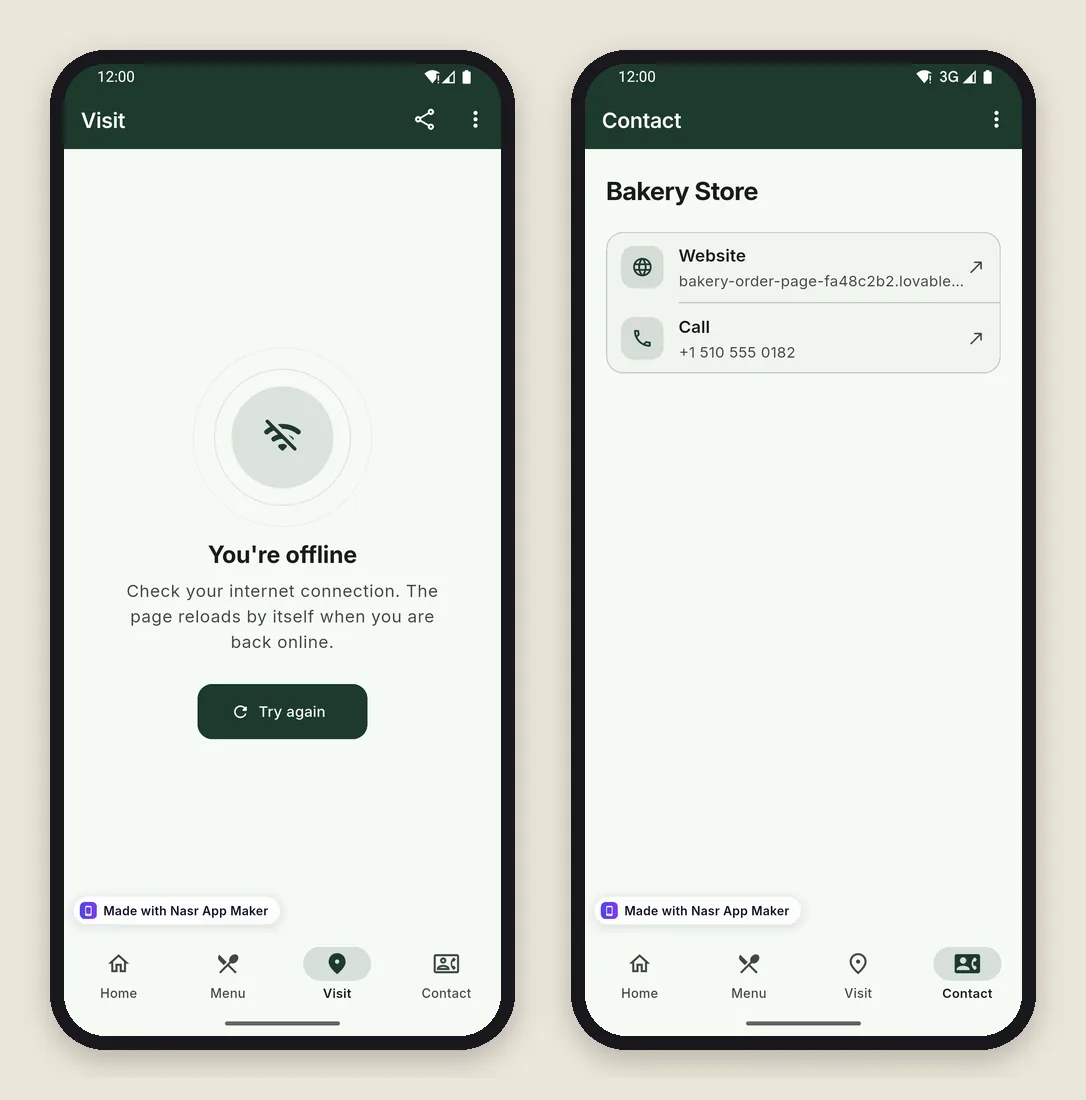
What works inside the app, and what doesn't
| In your Lovable app | Inside the Android app |
|---|---|
| Routes and the Back button | Work. Back walks the page history, then returns to the first tab, then exits |
| Supabase data, forms, carts | Work, since the app runs your live site |
| Email and password sign-in | Works, and the session stays in the app |
| Google sign-in | Opens in Chrome. The session lands in the browser, not in the app |
| Magic-link emails | Open from the mail app in the browser, with the same result |
| File uploads | Open Android's file and photo picker. No direct camera capture |
| Camera, microphone, location in the page | Blocked. The app holds the internet permission only |
| Stripe or PayPal checkout | Stays in the app, bank 3-D Secure page included, for up to 15 minutes |
| Links to other sites | Open outside the app (the Lovable badge opened Chrome) |
| Push notifications | Not in the web plans, and browser notifications don't fire in an Android WebView |
Google sign-in needs a different plan. Google's OAuth rules say a developer "must not direct a Google OAuth 2.0 authorization request to an embedded user-agent" (Google OAuth 2.0 Policies). An app's WebView counts as one, and Google answers with Error 403: disallowed_useragent. On Lovable's Reflection Journal template, the Continue with Google button goes to accounts.google.com with oauth.lovable.app/callback as the return address. Our app sends accounts.google.com to the browser on purpose, so the account picker works, but the browser keeps the signed-in session. Give app users email and password, or a code they type, and keep Google for the web.
Payments follow Google's rules, not Lovable's. Selling physical goods or services through Stripe is fine. Digital subscriptions and paid features sold inside an Android app must go through Google Play's billing (Payments policy), and a website app made with our tool can't take Google Play payments.
What Google Play checks for a Lovable app
- A developer account. Google charges a one-time $25 fee (Play Console Help).
- A closed test for new personal accounts. Accounts created after 13 November 2023 need 12 testers opted in for 14 days in a row before production (Play Console Help).
- More than a website in a frame. Google rejects apps with "limited functionality and content" (policy) and apps whose main purpose is a webview of a site without the owner's permission (policy). Our free Google Play check wants two or more tabs, a native page and working contact buttons, and it warns when you haven't proved the domain is yours. Proof is easier on a custom domain than on a shared lovable.app address.
- A privacy policy and the Data safety form. If your Lovable app collects emails or orders, declare them. See the privacy policy generator guide and Google Play Data safety explained.
- Store images. The listing needs screenshots in Play's sizes (screenshot size guide).
When the test app looks right, the Single app plan ($9.99 once) gives you the Google Play bundle (.aab) without the badge, an upload key you can export as a .p12 file, a hosted privacy page and the publishing guide, plus every later update of that app. Pro is $19.99 a month or $199.99 a year for seven new apps a month. The tool makes Android apps only: no iOS build, and no source code export.
Frequently asked questions
Can Lovable export an APK by itself?
No. Lovable publishes web apps to a lovable.app address or your own domain. The APK and the Google Play bundle come from a wrapper: Capacitor, PWABuilder, or a builder like Nasr App Maker, which also runs as an Android app.
Do I rebuild the app every time I change my Lovable project?
No. The app loads your live site, so a change you publish in Lovable shows up in the app on the next launch. Rebuild only to change the app's name, icon, colour, tabs or contact buttons.
Why does Google sign-in open the browser?
Google blocks its sign-in page inside embedded WebViews. The app hands that page to the browser, which works but leaves the session in the browser. Email and password sign-in stays inside the app.
Is the upload key mine?
Yes. Each app gets its own upload key from the first build, and with a paid plan you can export it with its password. Keep a copy: Google ties your app's updates to it.
The bottom line
A published Lovable app becomes an Android app in one short session once you add the pages the reader can't see, fix the "Lovable" name and icon, and add two contact buttons. Plan your sign-in around email and password before you upload, because Google sign-in won't finish inside a WebView. Try it free on the Lovable to APK converter: the preview and three test APKs a month cost nothing.